01Outcome
One workbench, live in beta
A clear product direction and a live beta at ykama.com — one shared workbench where product and engineering see the same context without switching tools.

AI Web App · 2026
Connect every ticket to the code that ships it.
ykama is an AI platform that closes the gap between product owners and developers — linking every ticket to the code behind it, with prompt-based commands for summarization, ideation, and proofreading. All inside a modern, flexible interface that adapts to how you actually work.
01Outcome
A clear product direction and a live beta at ykama.com — one shared workbench where product and engineering see the same context without switching tools.
02Project context
PMs live in the backlog. Developers live in the repo. No reliable link exists between a ticket and the code that implements it — so context dies in handoffs and the same questions get asked twice.
Product and engineering teams were working in separate tools with nothing connecting tickets to the code behind them.
03Solution
I led UX end-to-end: wireframes, prototypes, and the full visual system. The Workbench unifies Issues and Code in a split-pane view connected by a shared context layer — bidirectional "Show Related" actions link any ticket to its source files, while a floating AI prompt island runs commands against whatever is selected.
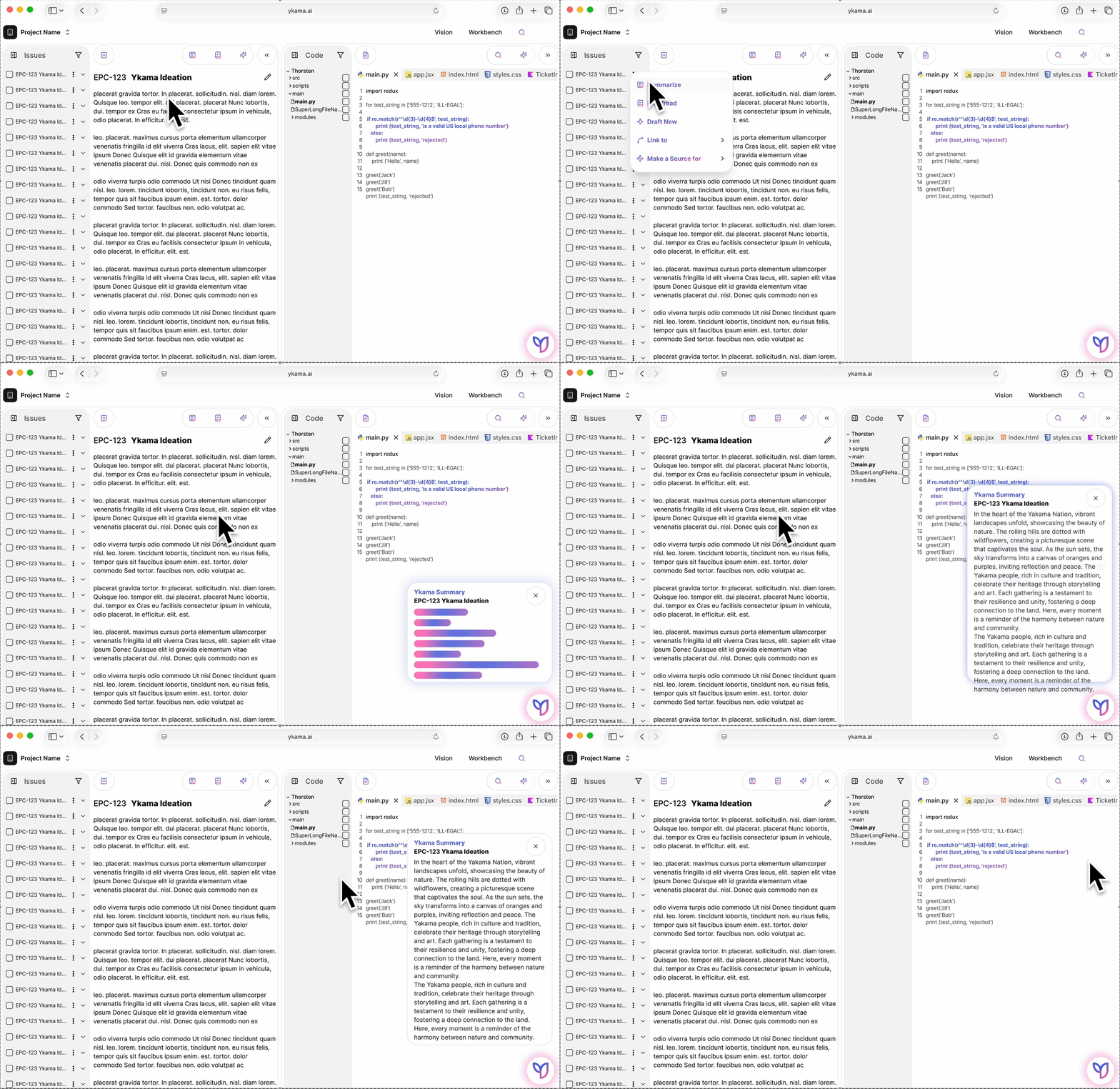
The Workbench — Issues and Code in a single view.
04Interaction design
Panes resize, collapse, or expand to full focus. Sidebars hide when you don't need them, actions appear in context, and the shell gives equal weight to PMs and developers — the surface stays calm until you reach for more.
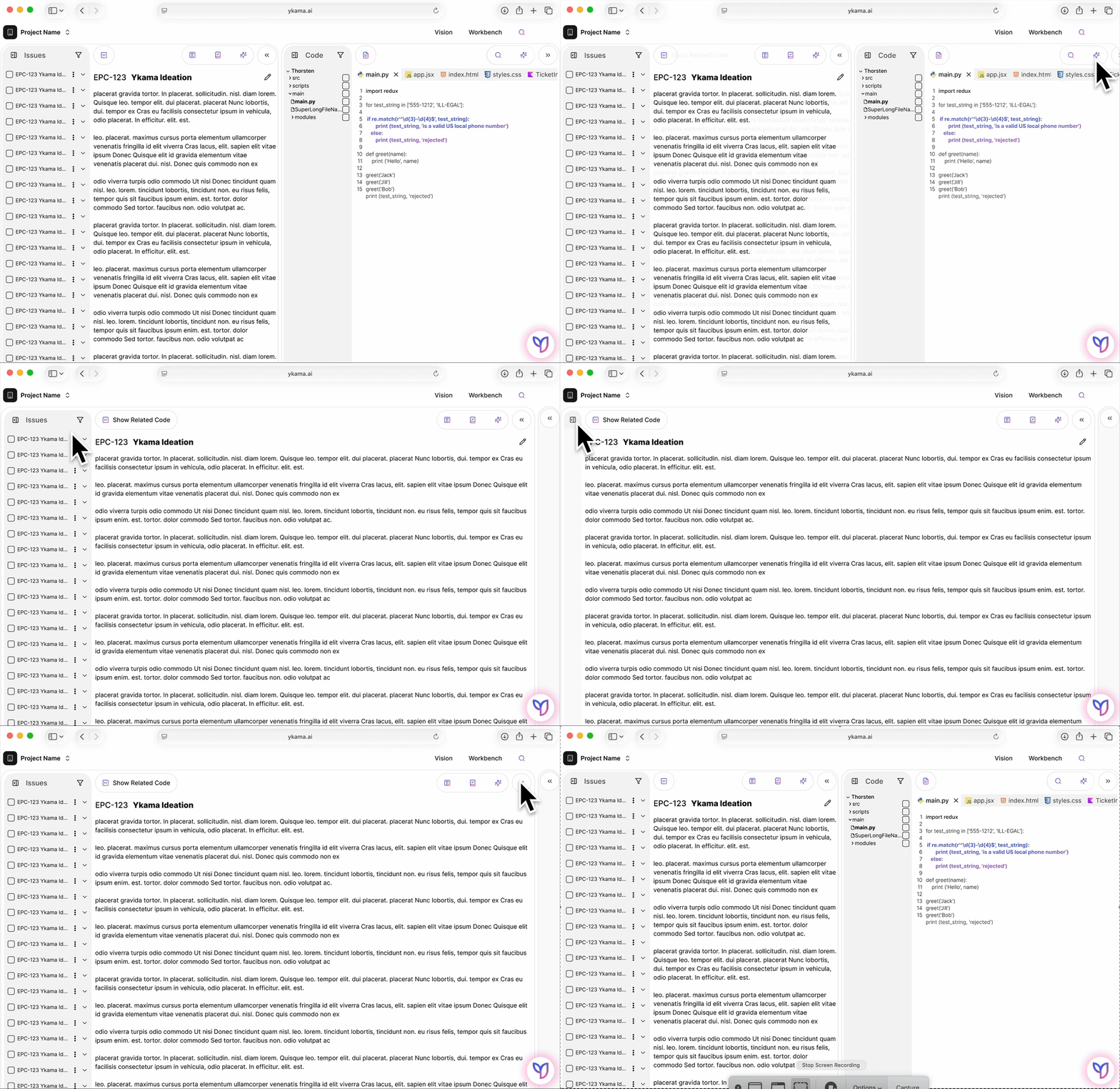
Flexible panes — minimize, expand, and reveal controls only when needed.
05Reflection
ykama is under NDA, so only this preview is public. Behind it sit user journey maps, flow explorations, and the design system that carried the product from first wireframes to the live beta.